Application Services
Refer to the table below for fields and values associated with adding application service:
| Name | Description |
|---|---|
| App name (mandatory) | What do you want your service to be called. |
| Application Source Type (mandatory) | Specify the source of your application's code or where your docker image is present. |
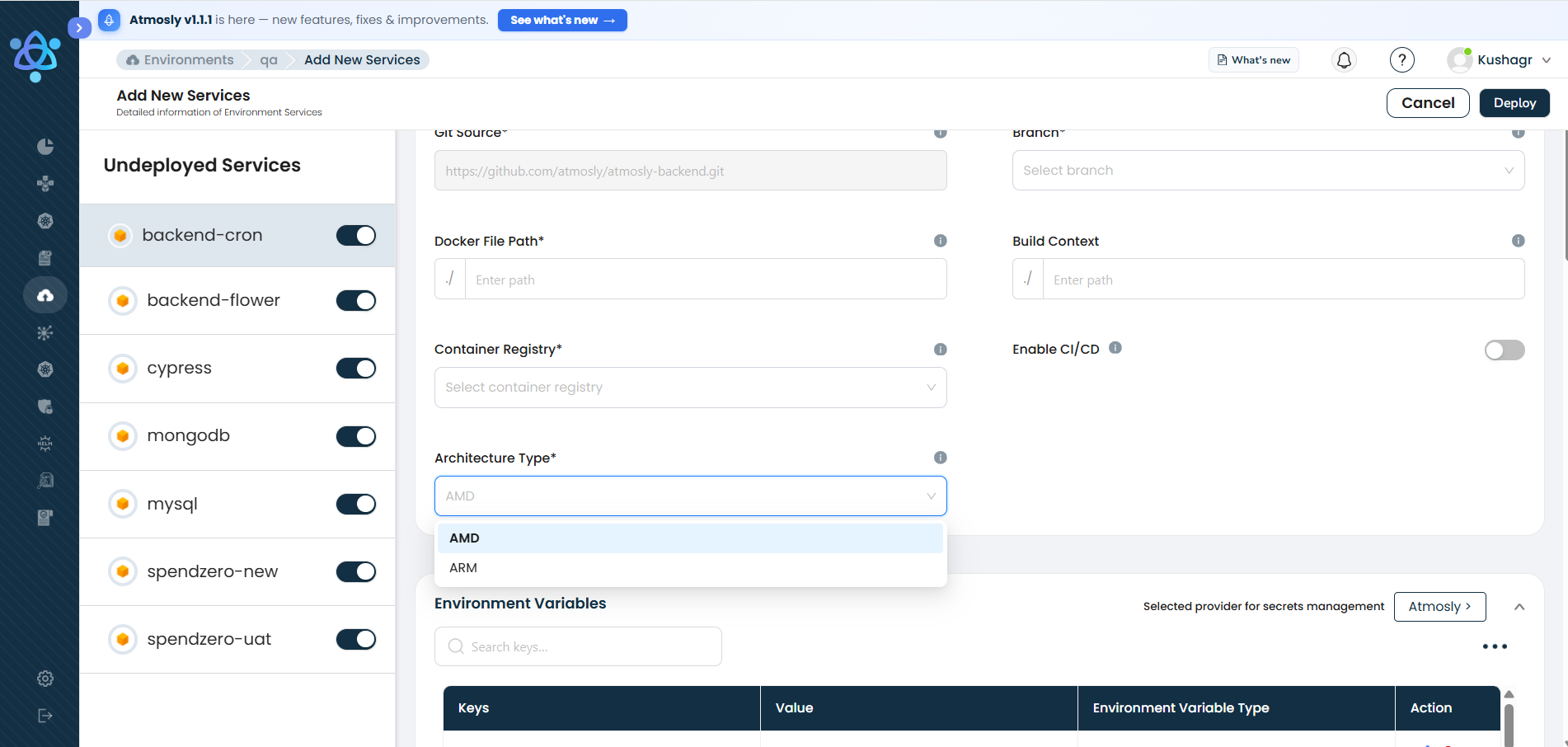
| Architecture Type (mandatory) | The CPU architecture the application image is built and run for — AMD (amd64, x86) or ARM (arm64, AWS Graviton). Choose ARM to run on Graviton-based nodes for better price-to-performance. Make sure your container image supports the selected architecture, and that the target cluster has nodes of that architecture. |
| Repository | Provide the URL or path to the code repository where your application's source code is stored. |
| Min CPU | Define the minimum CPU resources required for your application to run efficiently. |
| Min RAM | Specify the minimum amount of RAM needed by your application. |
| Workflows | Here you will see a list of workflos associated with this service. PLEASE NOTE: If there are no environments deployed, you will not see this section |
Selecting the image architecture (AMD or ARM / Graviton) during service deployment: