Pipelines
Accessing Pipelines
Here, you can view all pipelines related to your workflows. Use the filtering options to quickly find specific pipelines by project name, environment, workflow, or status.
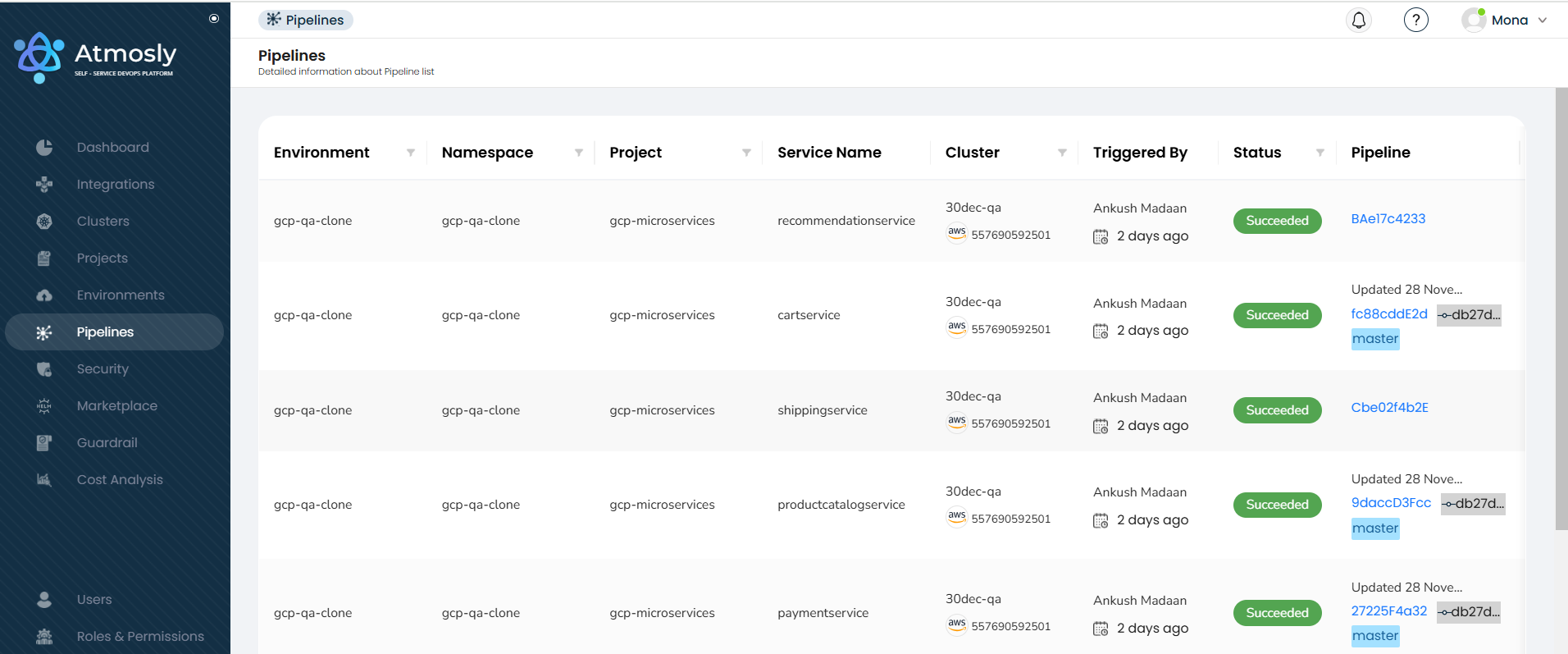
The pipeline provides insights into the project where the environment is deployed, the namespace it resides in, the service name, and the specific cluster segment it belongs to. It also shows who triggered the pipeline, its status (e.g., succeeded or failed), and includes a dedicated pipeline section for further workflow details.
Workflow release details
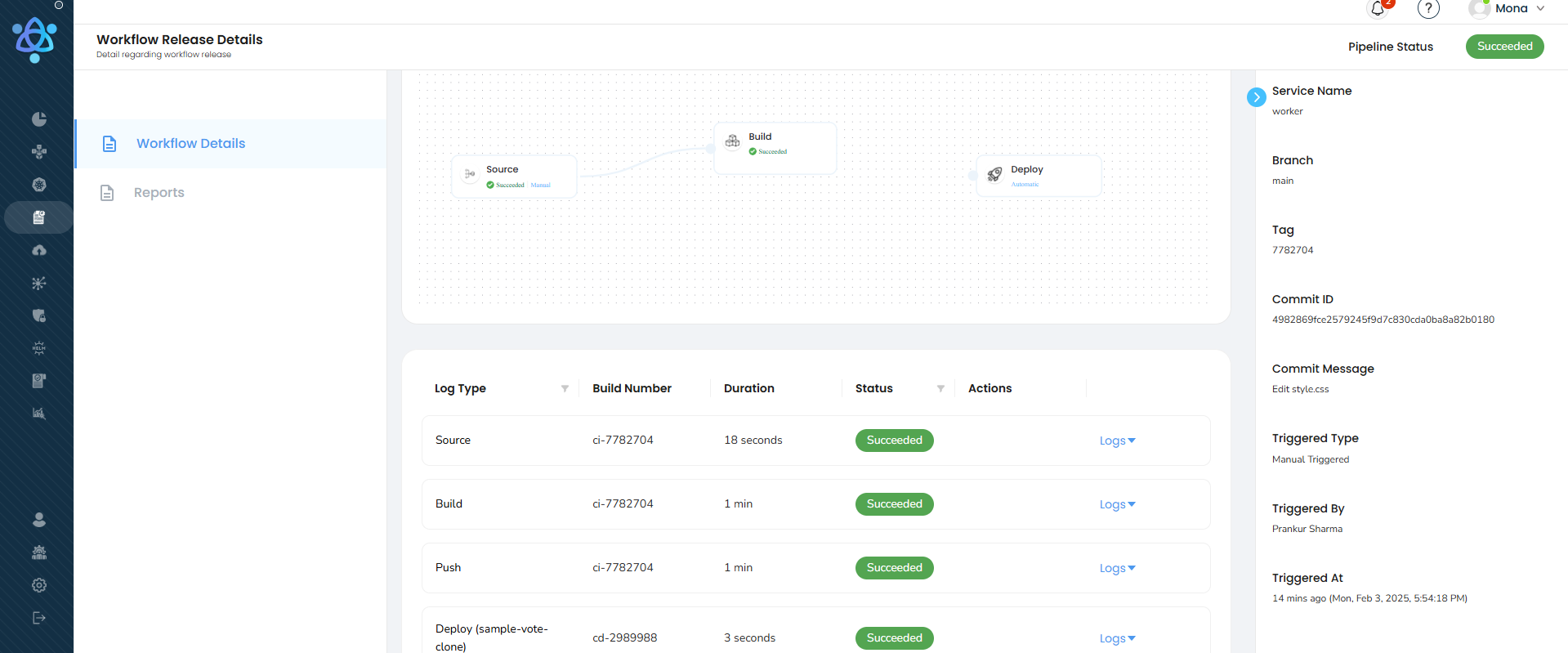
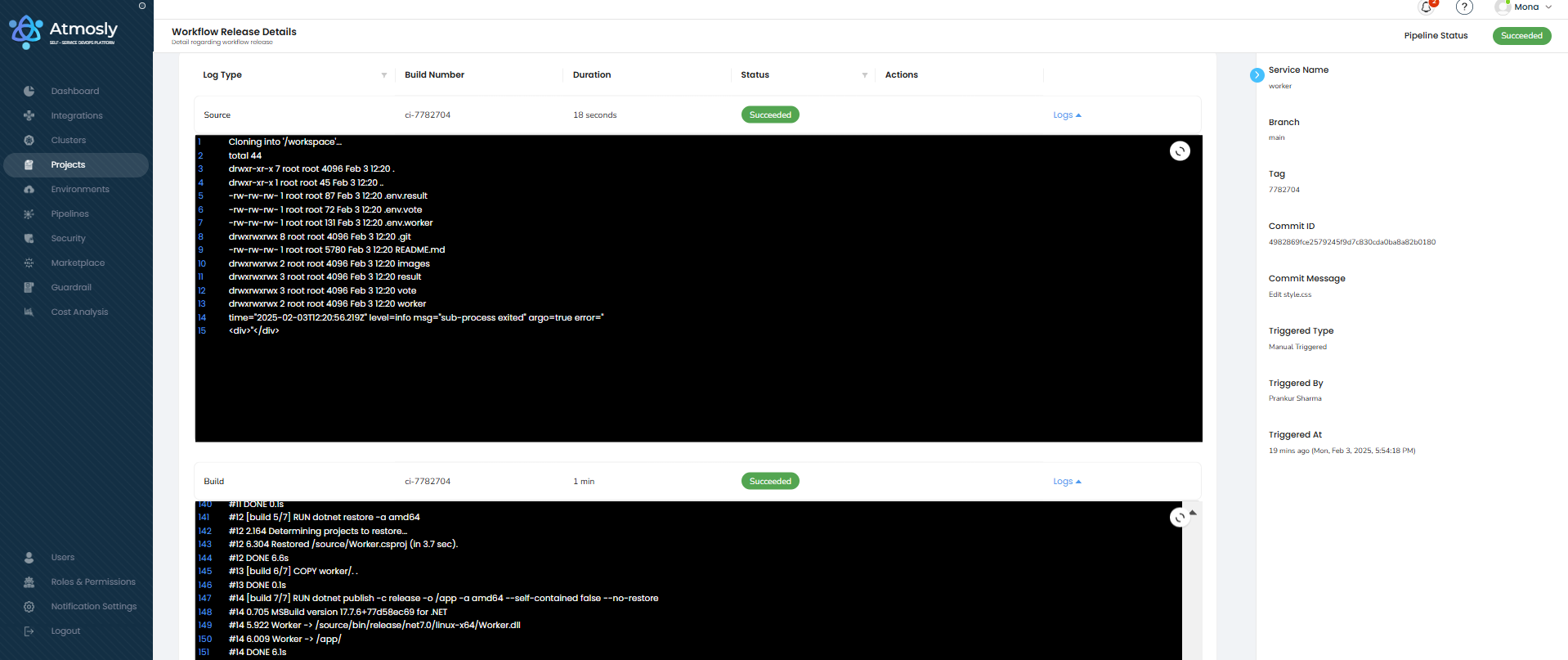
Click on a specific pipeline to access detailed workflow release information. Here, you can:
- View the deployed configuration.
- Check logs for Source, Build, Push, and Deploy stages.
Understanding Pipeline Information
Each pipeline entry provides:
- Branch: The branch that triggered the pipeline.
- Commit Details: Commit ID and message for context.
- User: Who pushed the commit.
- Status: Current state of the pipeline (e.g., running, failed, successful, pending approval, etc.).
Troubleshooting a Stuck Pipeline
Occasionally a pipeline can get stuck before it starts running — for example, if there's a problem submitting or scheduling the build. Atmosly detects this and helps you diagnose and clear it.
"Pipeline appears stuck" banner
If a pipeline stays in the Pending state for more than 5 minutes without progressing past its first step, a warning banner appears on the pipeline logs page:
Pipeline appears stuck — This pipeline has been in a pending state for over 5 minutes without progressing. There may be an issue with submission or scheduling.
Diagnose Issue
Click Diagnose Issue on the banner to open the debug panel, which shows:
- A diagnosis of the likely cause
- Suggestions for how to resolve it
- Per-step status for each stage of the pipeline
- How long the pipeline has been running (its age)
Mark as Failed
If a pipeline is genuinely stuck and won't recover, use Mark as Failed from the debug panel to move it out of the pending state. This unblocks the workflow so you can retrigger it or investigate the underlying issue.
Atmosly also runs a background watchdog that automatically reconciles pipelines left stuck for too long, so most stuck pipelines are cleared even without manual intervention.